
Integrating with WordPress stores is extremely simple.
All you need to do is install our plugin from the plugin store and activate it.
Step One:
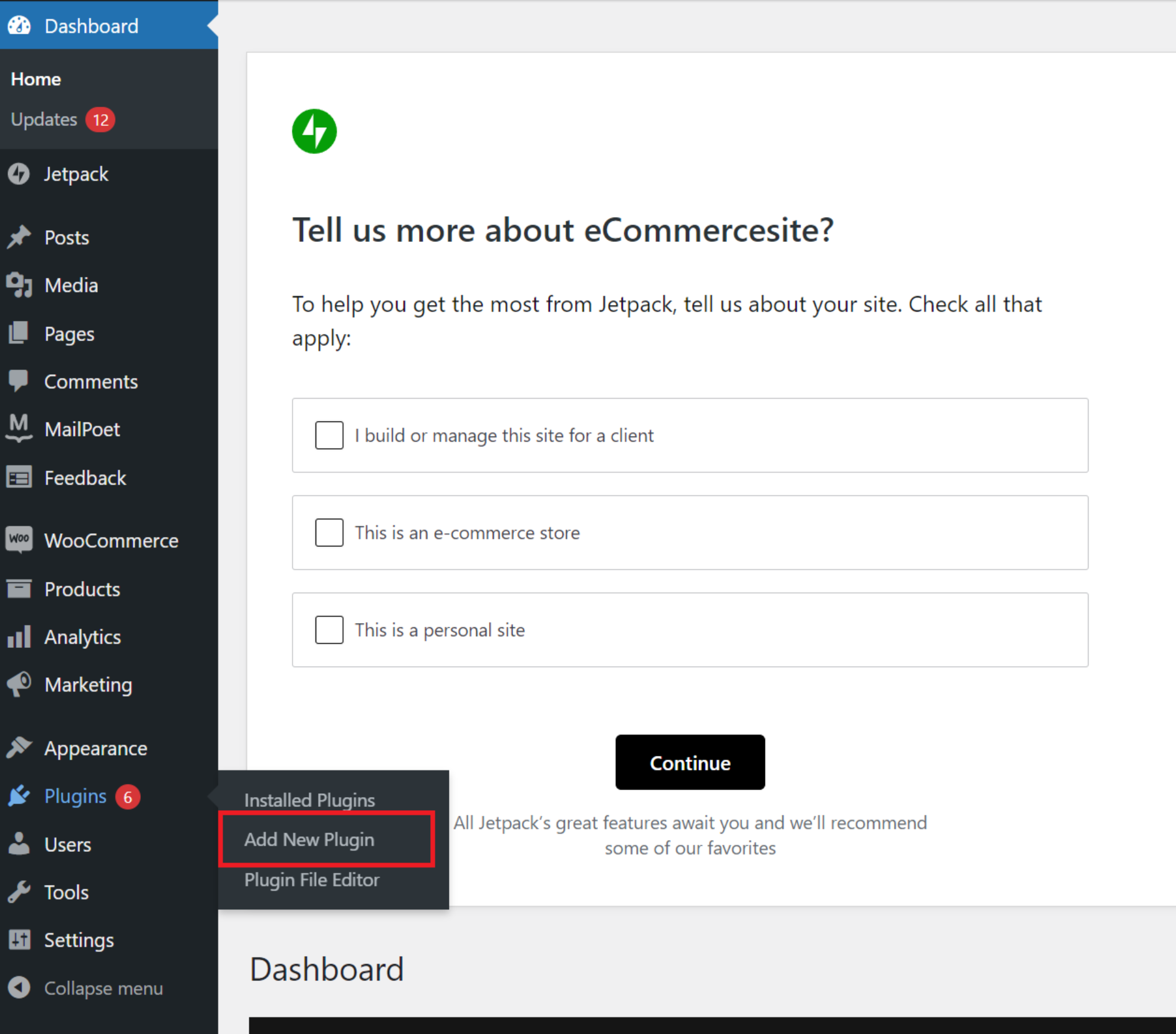
In the Plugins menu, select Add New Plugin.
Step Two:
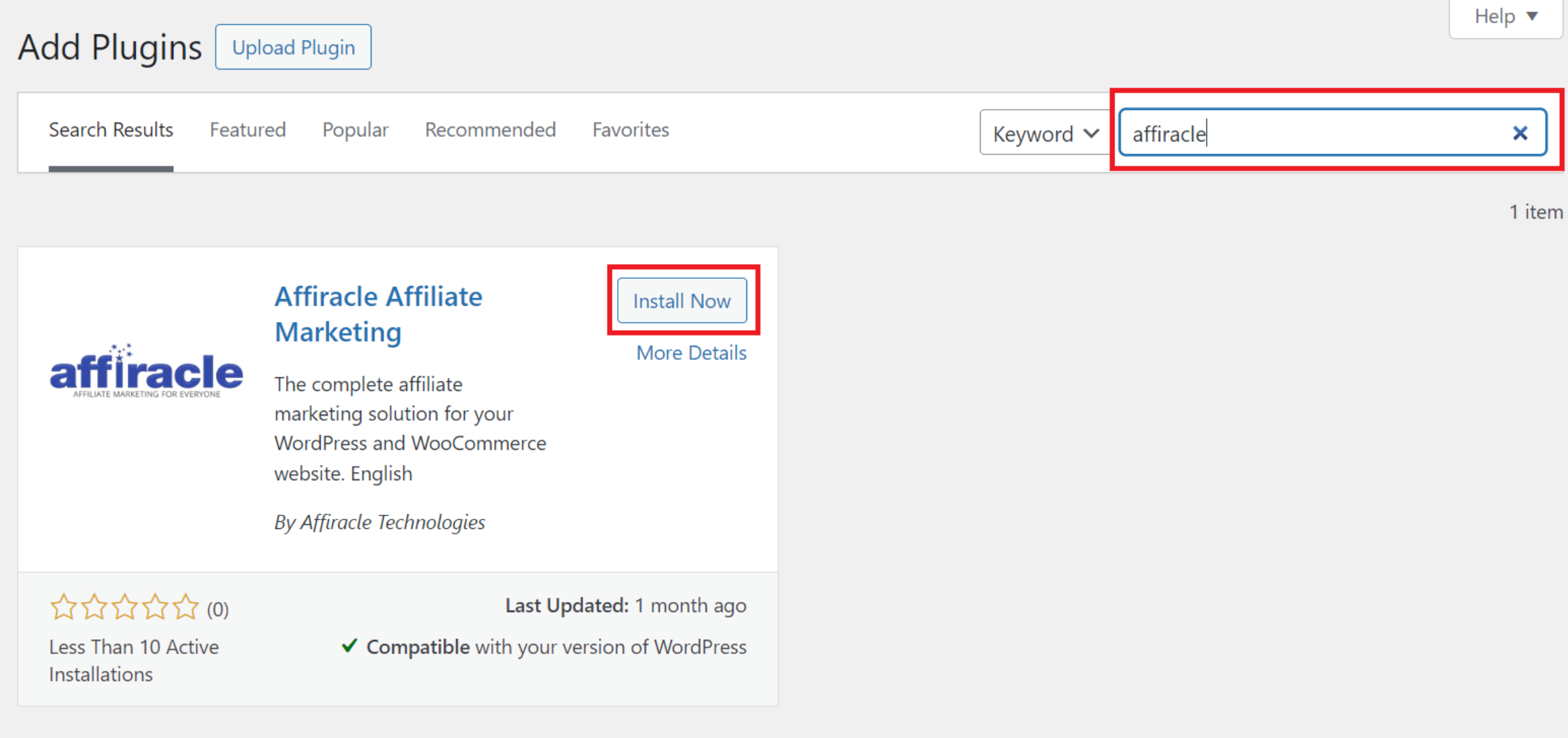
Type "Affiracle" in the search bar and click Install Now once you have located the plugin.
Step Three:
Once the installation is complete, click Activate.

Step Four:
After completing the plugin installation, you can return to Affiracle and click "Connect."

Step Five:
If the plugin was installed successfully, the connection will be established. Proceed to the next step and click the "Approve Connection" link.

Step Six:
In the window that pops up, you must approve the connection permissions.

Step Seven - The Final Step:
If you have completed the connection successfully, you will receive a notification confirming the successful integration.

Now, all that's left is for you to create your first campaign.