
To start your affiliate program, you will need at least one store. The store must be created after completing your registration.
To add your first store, select Add Stores from the Stores menu.
Store Details
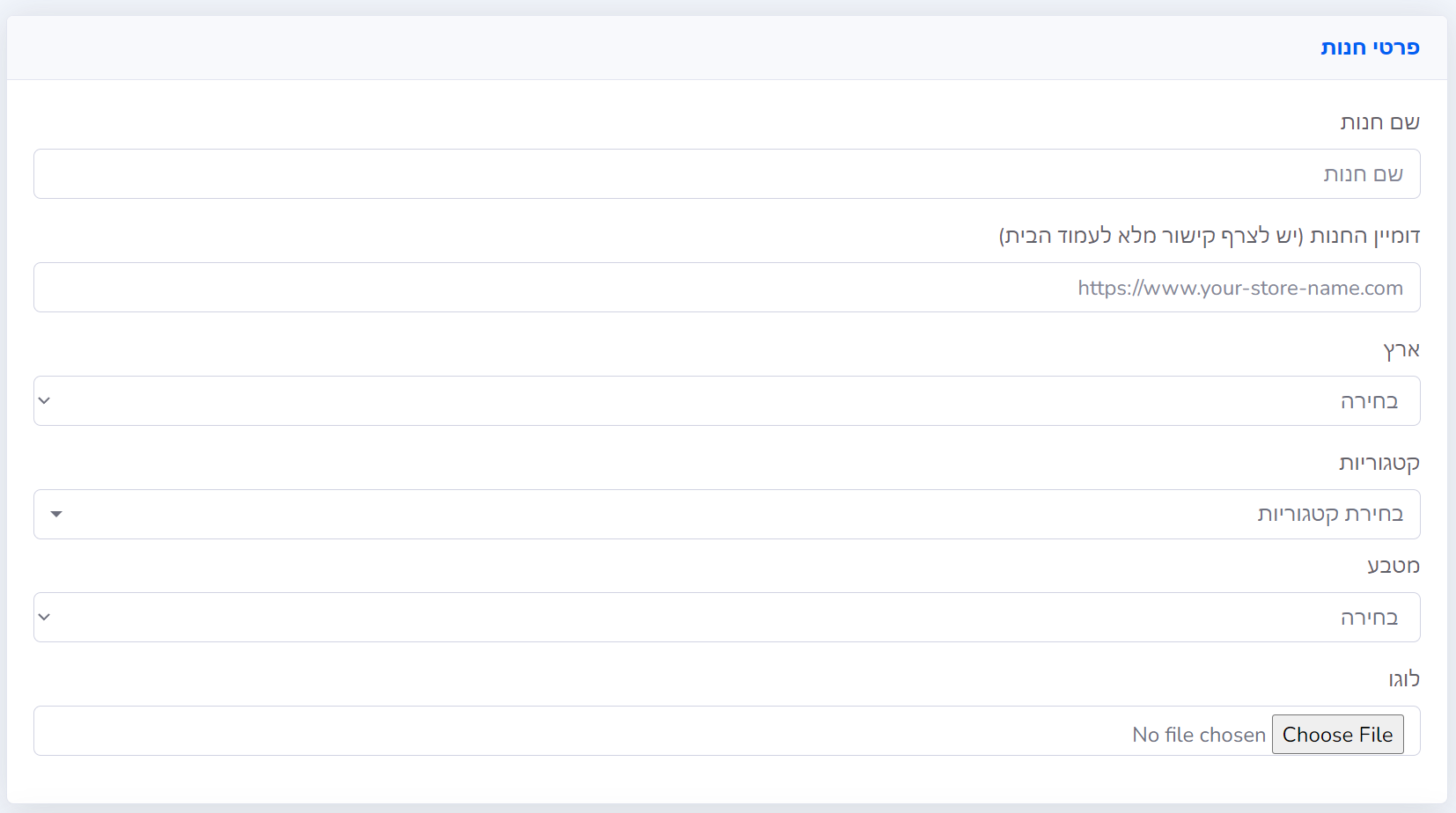
Fill in the details; use this explanation to fill them out optimally:
| Store Name | Enter the public name of your store as it will appear to affiliates. |
| Store Domain | Add a link to your store's homepage (to avoid errors, it is recommended to copy the URL directly from your browser's address bar). |
| Country | Select Israel if your store is located in Israel and targets the Israeli audience. |
| Categories | Choose one or more categories; these will help marketers find you based on relevance. |
| Currency | Choose the primary currency you accept in your store. Select NIS if your store is located in Israel and targets the Israeli audience. |
| Logo | The logo you upload will appear in the campaign list and in your affiliate portal. |
Contact Information

The contact person's name and email will appear automatically from the contact details defined in the account.
You can change these settings here if your store is managed by a different contact person.
Payments and Taxes
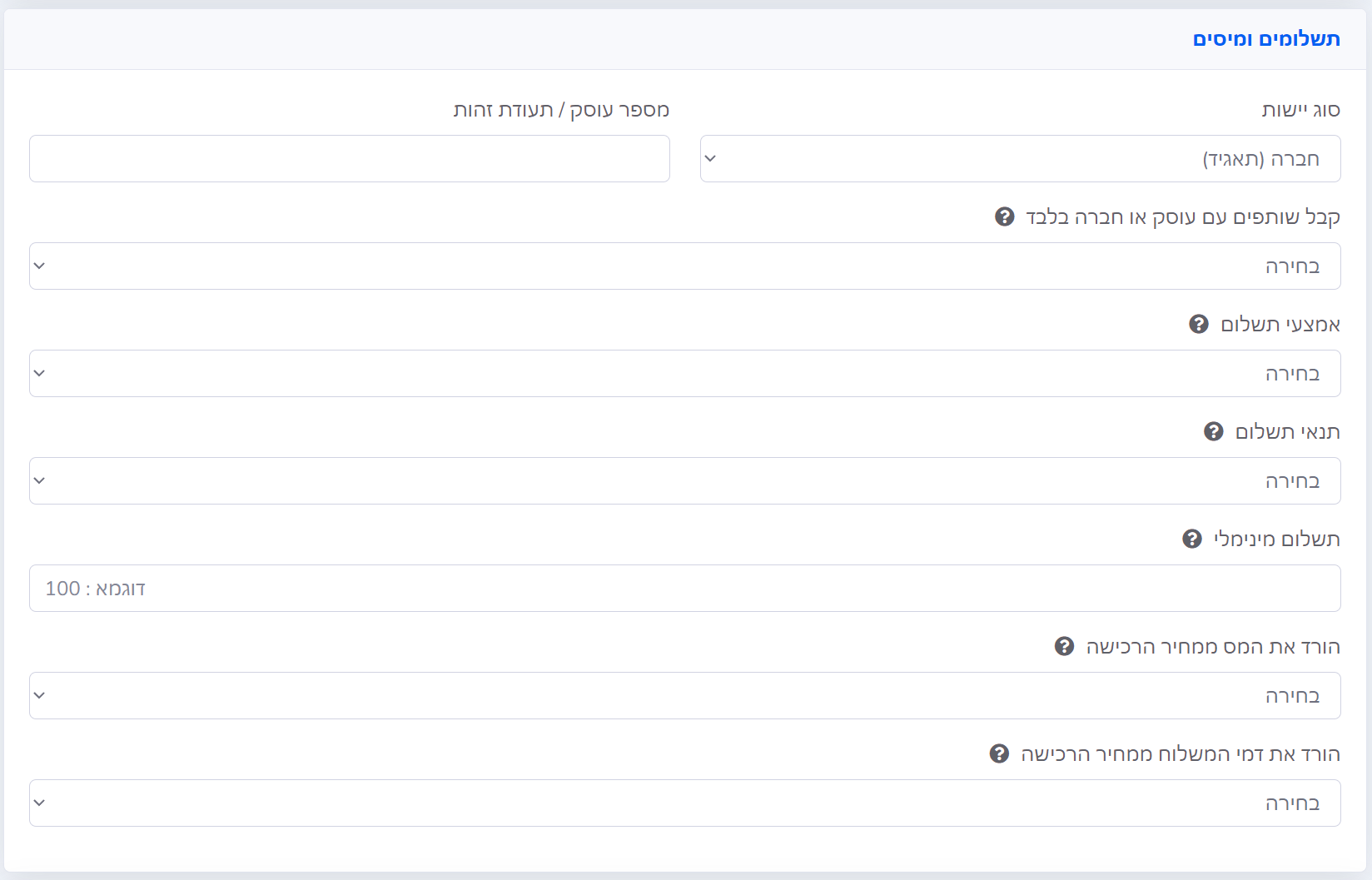
Fill in the details related to payments and taxes using the table below:
| Entity Type | The type of entity (usually Company / Licensed Dealer / Exempt Dealer) will appear automatically from the account details, but you can change it here. |
| Business Number / ID | Business number / ID / PC will appear automatically from the account details, but you can change it here. |
| Accept Only Affiliates with Business/Company Status | If you wish to accept only business-owning affiliates who can issue a tax invoice or receipt for payment, select Yes; otherwise, select No. |
| Payment Method | Choose the payment method you will use to pay affiliates: Bank Transfer or PayPal. |
| Payment Terms | Specify your payment terms starting from the moment the affiliate's payment request is created. |
| Minimum Payment | Here you can specify for affiliates the minimum amount they must reach before receiving payment (in Israel, this usually ranges from 100 to 250 NIS). |
| Deduct Tax from Purchase Price | If your store prices include purchase tax (VAT), you can select Yes to use the pre-VAT amount as the basis for the commission. |
| Deduct Shipping Fees from Purchase Price | If sales on your site include shipping fees and you do not want to reward the affiliate for this amount, select Yes (intended for stores that support sending shipping fee data). |
Affiliate Settings
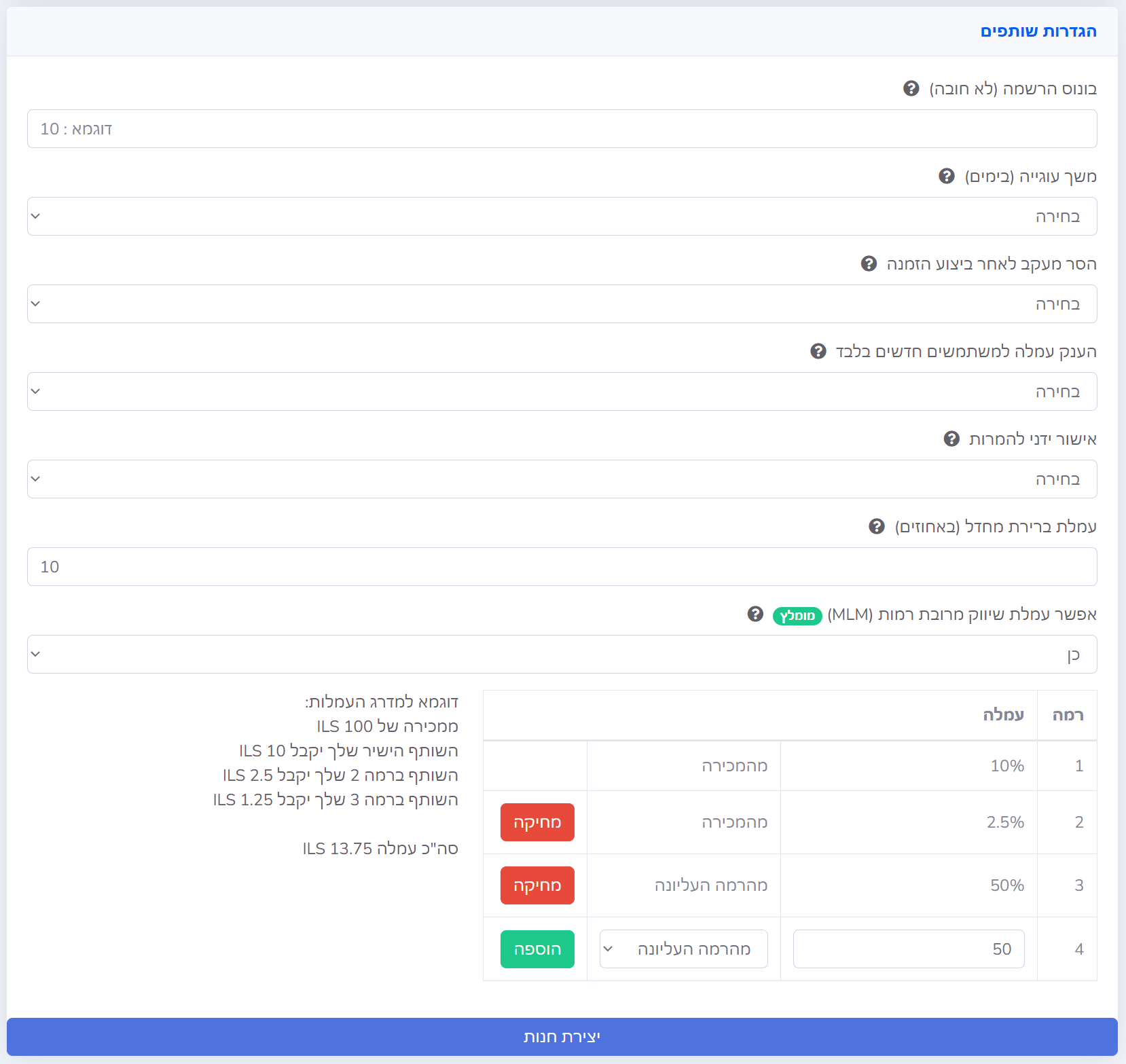
The final step is defining the affiliate settings for the store; follow the instructions in the following table:
| Registration Bonus | You can specify an amount in NIS to be given as a registration bonus to every affiliate who joins your campaign. |
| Cookie Duration (in days) | A Cookie is the tracking tool the system uses to monitor visitors referred by your affiliates. Setting the duration in days determines how long after the visitor's first arrival via the affiliate they will still count toward a commission in case of a purchase. |
| Remove Tracking After Order Completion | This setting is intended to prevent rewarding an affiliate for repeat purchases by a referred customer. Select Yes if you want a repeat order within the Cookie Duration period to not grant the affiliate a commission. |
| Grant Commission to New Users Only | This setting determines if your affiliate will receive a reward if they refer the same customer again using their link. Select No if you want an order from the same customer, even if they arrived again through the affiliate, to not grant a commission. (Available for supported stores only) |
| Manual Approval of Conversions | Select Yes if you want every sale made by an affiliate to require your manual approval or rejection. Select No if you want every sale to be automatically approved and reported to the affiliate. |
| Default Commission Percentage | Specify the general commission (in percentage) for the entire store here. In the campaign settings screen, you will be able to edit this setting at the campaign, category, or product level. |
| Enable Multi-Level Marketing (MLM) Commission | To incentivize affiliates to grow the network, you can grant a commission to affiliates who invite new affiliates, up to 10 levels in total. You can define a percentage commission derived from the sale value or the commission value of the affiliate at the previous level. |