
Turn products into commissions with a single click. Affiracle's new feature harnesses the power of Artificial Intelligence to generate sharp, designed, and ready-to-publish marketing content—with your personal affiliate link already embedded inside.
How to start (it takes less than a minute):
- Select a Product: Your dashboard will display "Best Selling Products." Found an interesting product? Click the Create Post button.
- Platform Optimization: Choose where you want to publish: Instagram, Facebook, X, TikTok, LinkedIn, or WhatsApp. The AI will adjust the text length, tone of voice, and relevant hashtags.
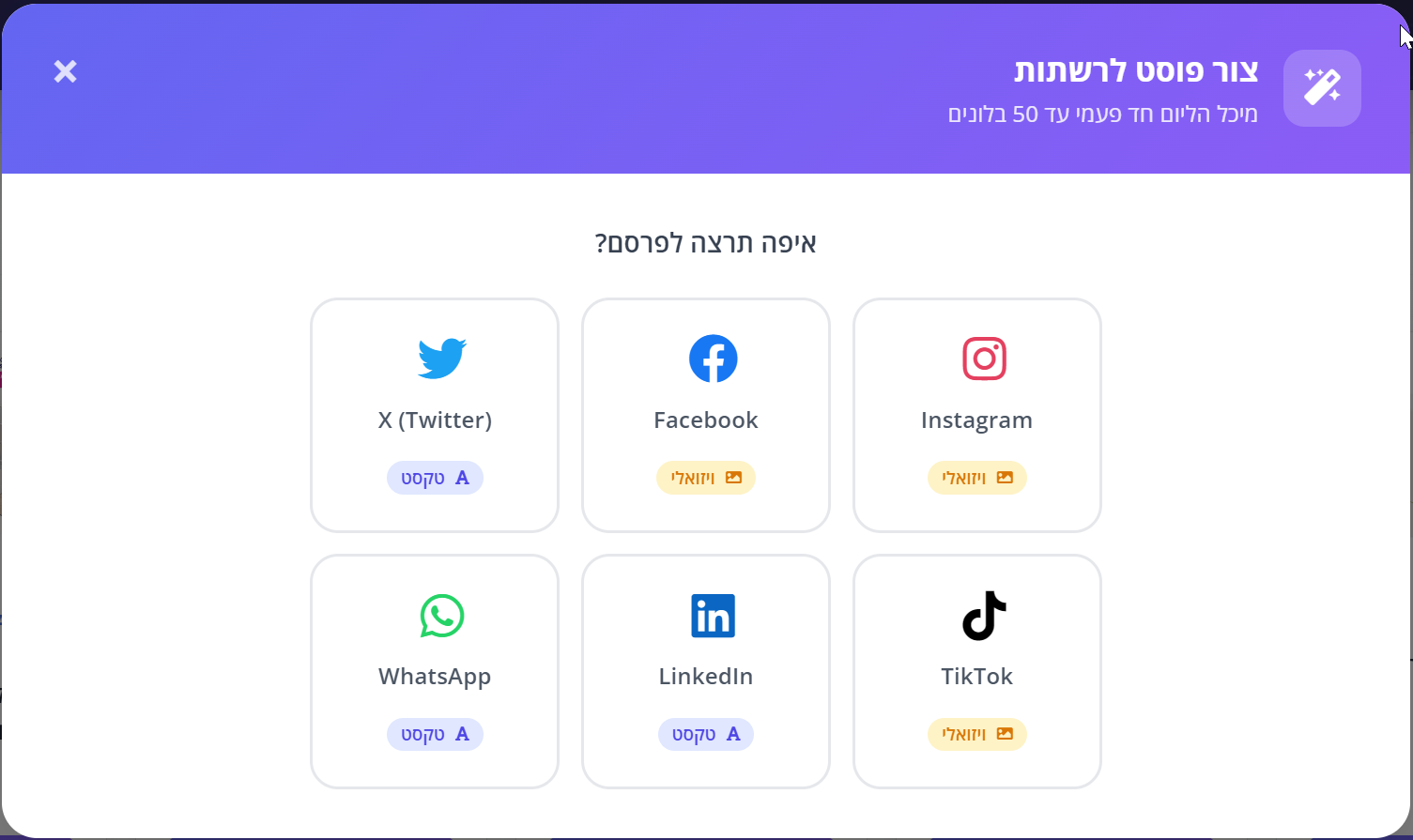
- Choose Creative: Select the winning image from the product gallery.

- Select Marketing Strategy: The system will generate 3 different variations for you:
Emotional Style
Connecting to value and experiencePromotional Style
Emphasis on price and savingsFOMO Style
Creating urgency and trendiness
Professional Visual Design
For visual platforms (Instagram and Facebook), the system doesn't just write—it also designs. You can download high-quality PNG images in 3 styles:
- Lifestyle: Atmosphere image with a complementary text layer.
- Bold: A daring design that is impossible to miss in the feed.
- Clean: A minimalist look on a clean background for premium brands.
When posting on Instagram or TikTok, remember to direct users to the "Link in Bio" or use a link sticker in Stories, as links in post descriptions are not clickable.
Frequently Asked Questions
Can I search for a specific product? Absolutely! The search bar allows you to find any product from all the stores you've registered with and create a post for it immediately.
What is the usage limit? You can create up to 30 posts per day. The quota resets every midnight.
Go to the Dashboard and create your first post